
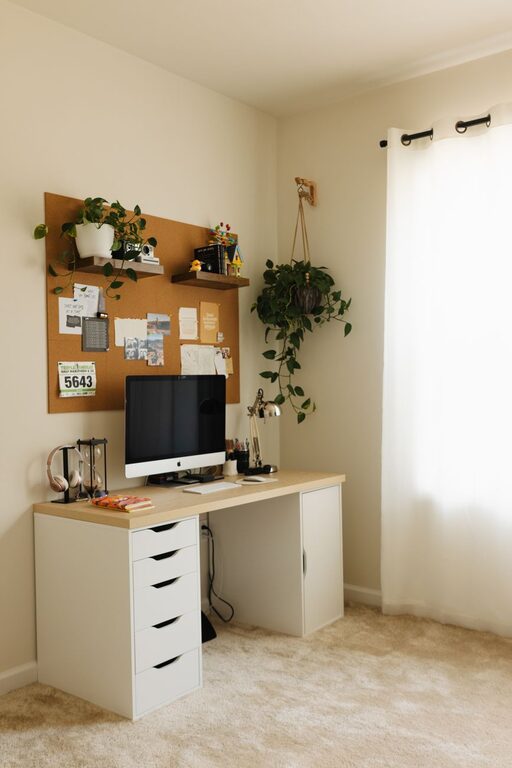
Creating a home office that is both cozy and productive can make a significant difference in your daily work routine, especially as more people embrace remote work or flexible schedules. A well-designed workspace can improve focus, reduce stress, and make working from home a more enjoyable experience. In this post, we’ll explore practical tips to help you build a home office that balances comfort and productivity.
Choose the Right Location
Selecting the right spot for your home office is the first step. Ideally, pick a quiet area with minimal distractions and enough space to accommodate your desk, chair, and any extra storage you might need. If possible, choose a location near a window to benefit from natural light, which can boost mood and reduce eye strain.
Consider Your Needs
– Is privacy important for your work?
– Do you need space for meetings or video calls?
– How much equipment or supplies do you require?
Answering these questions will guide you to the best location within your home.
Invest in Comfortable and Ergonomic Furniture
Comfort is key when you spend long hours at your desk. An ergonomic chair and desk setup helps prevent back and neck pain and encourages better posture.
Tips for Choosing Furniture
– Opt for an adjustable chair with good lumbar support.
– Select a desk at the right height to keep your wrists straight while typing.
– If space allows, consider a standing desk or a converter to alternate between sitting and standing.
Optimize Lighting
Good lighting improves both productivity and comfort. Aim for a mix of natural and artificial light to reduce eye strain.
Lighting Suggestions
– Position your desk near a window for daylight.
– Use a desk lamp with adjustable brightness for focused lighting.
– Avoid glare on computer screens by positioning lights appropriately.
Keep Your Workspace Organized
An orderly workspace helps maintain focus and reduces stress. Clutter can be distracting and make it difficult to find important items.
Organizational Tips
– Use shelves, drawers, or filing cabinets for storage.
– Keep only essential items on your desk.
– Regularly declutter and clean your space.
– Use cable organizers to manage cords.
Personalize Your Workspace
Adding personal touches can make your home office feel inviting and motivate you to work.
Ideas for Personalization
– Incorporate plants to add a natural element.
– Hang artwork or photos that inspire you.
– Choose colors that calm and energize you, such as soft blues or greens.
– Use cozy textiles like a soft rug or a comfortable throw blanket.
Minimize Distractions
Maintaining focus is easier in a space free from distractions.
Strategies to Reduce Distractions
– Use noise-canceling headphones or play ambient music.
– Set boundaries with family or housemates during work hours.
– Keep your phone on silent or in another room if possible.
Ensure Proper Technology Setup
Technology plays a crucial role in productivity. Make sure your devices are reliable and efficiently arranged.
Tips for Technology
– Use a high-speed internet connection.
– Keep chargers and peripherals organized.
– Consider a second monitor for multitasking.
– Use keyboard and mouse setups that feel comfortable.
Create a Routine and Maintain Your Space
A productive home office is not just about the physical setup but also about habits.
Maintaining Productivity
– Establish regular working hours.
– Take breaks to stretch and move around.
– Tidy your workspace at the end of each day to prepare for the next.
—
By thoughtfully designing your home office, you can create a space that welcomes you each day and supports your work goals. Whether you have a small nook or an entire room, these tips can help you build a cozy and productive environment that feels uniquely yours.
Related Posts

Tips for Creating a Cozy and Inviting Reading Nook at Home
Creating a cozy and inviting reading nook at home is…

Tips for Creating a Cozy and Inviting Reading Nook at Home
Creating a cozy and inviting reading nook in your home…
Tips for Creating a Cozy and Productive Home Office Space
Creating a home office that is both cozy and productive…